The service operates a robust infrastructure designed for seamless mobile payment solutions, focusing primarily on simplified transaction processes. As a licensed platform, it adheres strictly to regulatory compliance standards, ensuring safety, transparency, and legal conformity in its jurisdictions. The provider maintains a high service quality through continuous system upgrades and responsive customer support.
This payment method supports multiple currencies and transaction types, positioning itself competitively in the fintech market. Users benefit from diverse functionalities, including mobile payments, parking fees, and various recurring payments, served through an intuitive user interface. This article is based on verified data and expert analysis, targeting financial professionals, users of mobile payments, and industry analysts.
📊 Executive Dashboard
| Indicator | Details |
|---|---|
| Foundation | 2001 |
| Ownership | Private |
| Registration Country | Canada |
| Licenses | Financial Services licenses in UK, Canada, USA |
| Regulators | FCA (UK), FINTRAC (Canada) |
| AML/KYC Compliance | Mandatory Enhanced KYC |
| Security Certificates | PCI DSS Level 1 Compliance |
| Fiat Currencies | GBP, USD, CAD, EUR |
| Cryptocurrencies | Not Supported |
| Transfer Types | Mobile payments, P2P, Bill Payments, Recurring Payments |
| Min/Max Transaction Limits | Varies by region, typically £1-£500 |
| Processing Times | Instant to minutes for most payments |
| Fees | Transaction fee varies; no monthly fees |
| Customer Support Channels | Email, Phone, Chatbot |
| Support Hours | 24/7 Phone, Email Business Hours |
| Languages Supported | English, French |
| Security Features | 2FA, Encryption, Fraud Detection |
| User Ratings | Mixed; praised for convenience, criticized for support delays |
🏢 Corporate Structure, Regulatory Compliance, Market Position
The service, founded in 2001 and registered in Canada, operates as a private entity focused on mobile payment innovations. It is owned by a technology-focused private company with several partnerships in the parking and transportation sectors. Their official website serves as the portal for both consumer and business users, featuring continuous updates and strong brand presence.

User feedback indicates high convenience in transaction speed and ease of use, with some noted issues related to customer support responsiveness. Industry recognition includes various awards for mobile payment innovation and partnerships with municipal governments for contactless parking payments.
| Jurisdiction | License Type | Regulator |
|---|---|---|
| UK | Payment Institution | Financial Conduct Authority (FCA) |
| Canada | Money Services Business | FINTRAC |
| USA | State-level Money Transmitter Licenses | Various State Regulators |
⚙️ Technical Infrastructure, Transaction Processing, Financial Operations
The service supports fiat currencies including GBP, USD, CAD, and EUR. It does not currently support cryptocurrencies or proprietary tokens. Currency conversion is not a built-in feature due to its region-specific operations. Exchange rate updates are managed through partnerships with banking institutions where applicable.
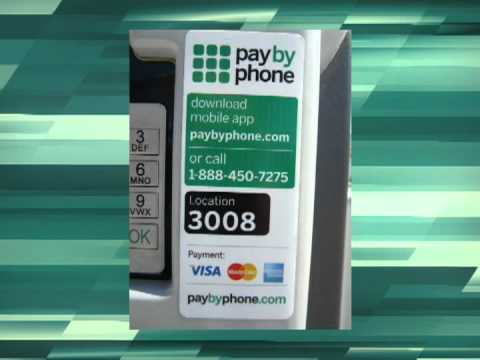
Transaction capabilities include one-off payments, recurring payments, bill payments, and peer-to-peer transfers within supported regions. Users can also generate payment links and schedule payments natively on the platform. The infrastructure supports instant payment processing, with minimal delays attributable to banking partner networks.
How to Manage Your Transactions Step-by-Step
- Log into your account via the mobile app or website.
- Select the ‘Send Money’ or equivalent option.
- Enter the recipient’s mobile number or account identifier.
- Enter the amount and confirm details.
- To set up recurring payments, choose ‘Recurring’ and specify frequency.
- Use ‘Schedule Payment’ to set future payments.
- Generate payment links from the ‘Request Payment’ menu.
- Split payments by selecting multiple recipients during payout setup.
- Export transaction history from ‘Account History’ tab.
- For disputes or refunds, contact support via the app’s help section.
- Track payment status in the transaction details section.
Transaction limits are region- and verification-dependent, with standard capped amounts for unverified users. Verified users may request increased limits through standard compliance checks. New users face initial lower limits pending verification.
How to Manage Your Transaction Limits Step-by-Step
- Access your account dashboard online or via the app.
- Check current transaction limits under ‘Limits’ section.
- Submit limit increase requests via the compliance form.
- Upload or update verification documents as prompted.
- Monitor your transaction activity to avoid hitting max thresholds.
- Plan high-value transfers by requesting temporary limit raises.
- Contact customer support for special arrangements if needed.
Funding is available through linked bank cards and selected bank accounts. Deposit minimums and fees vary by region, with instant crediting for card payments. Bank transfers may experience delays on weekends and holidays.
How to Fund Your Account Step-by-Step
- Log into your account and go to ‘Add Funds’.
- Select your preferred funding method: card, bank transfer.
- Enter amount complying with minimum funding limits.
- Confirm payment information and authorize the transaction.
- For bank transfers, wait for verification if instant credit isn’t available.
- Verify deposit by checking transaction status.
- In case of delayed deposits, contact support via app or email.
- Track pending deposits in the dashboard.
Withdrawals can be made to cards or bank accounts with variable fees and processing times. Requests are usually processed promptly but delays may occur during weekends. The platform notifies users about withdrawal status.
Fee structures include transparent transaction fees with no hidden costs. Preferential rates are available for high volume users or corporate accounts, including monthly fee waivers and VIP discounts. The platform provides promotional codes and cashback benefits periodically.
How to Optimize Fees and Reduce Transaction Costs Step-by-Step
- Review fee schedules under ‘Pricing’ on the platform.
- Use low-fee funding methods like bank transfers when possible.
- Qualify for volume discounts by consolidating transactions.
- Apply valid promo codes at checkout or deposit.
- Maintain VIP status through frequent use.
- Avoid unnecessary cancellations and service interruptions.
- Track fees paid monthly to identify saving opportunities.
- Compare fee structures before initiating large transactions.
🔒 User Experience, Security Infrastructure, Specialized Services
| Contact Type | Details | Availability |
|---|---|---|
| Official Website | https://www.paybyphone.com | 24/7 Online |
| Customer Support Email (North America) | [email protected] | Business hours |
| Customer Support Email (UK) | [email protected] | Business hours |
| Customer Support Phone (North America) | +1 866-783-7787 | 24/7 |
| Customer Support Phone (UK) | +44 (0)330 400 4357 | Business hours |
| profile | Active | |
| Twitter (X) | profile | Active |
| Facebook (North America) | profile | Active |
| Facebook (UK) | profile | Active |
Customer support is accessible via phone 24/7 in North America and business hours in the UK. Email inquiries receive responses during business hours. Social media channels are actively maintained for updates and customer engagement, but response times vary.
How to Contact Customer Support Step-by-Step
- Visit the official website and navigate to the ‘Contact’ section.
- Choose your region and preferred contact method.
- For immediate assistance, call the support phone number provided.
- Send detailed requests or issues to the provided support email.
- Use the website chatbot for general queries.
- If unresolved, escalate the issue through follow-up emails or higher support tiers.
- Track your support tickets using the provided reference numbers.
- Provide any requested documentation promptly.
- Request callbacks if available for complex issues.
Registration requires basic information, with verification steps dependent on transaction volume. Verification documents include government-issued photo ID and proof of address. The platform enforces strict age and data authenticity rules, supporting corporate accounts with additional documentation.
How to Set Up and Verify Your Account Step-by-Step
- Open the service app or website and select ‘Register’.
- Provide your email, phone number, and personal details.
- Confirm registration via email or SMS.
- Upload required identity documents for basic verification.
- Complete address verification with utility bills or bank statements.
- Submit verification forms and await approval.
- If rejected, follow instructions to re-submit documents or appeal.
- Update personal information in settings as necessary.
The platform employs advanced encryption, two-factor authentication, biometric options, and continuous fraud monitoring. Regular security audits and PCI DSS compliance ensure data and fund protection. Suspicious activity triggers alerts and account holds pending investigation.
How to Configure Your Security Settings Step-by-Step
- Access your account settings and locate ‘Security’.
- Enable two-factor authentication through SMS or authenticator apps.
- Set up biometric login if supported on your device.
- Create a strong, unique password and update periodically.
- Activate login and transaction notifications.
- Review account activity logs regularly for abnormalities.
- Report any unauthorized access immediately via support.
- Follow recovery procedures if your account is compromised.
The platform offers a user-friendly mobile app and responsive web interface with multi-language support. Push notifications, offline mode, and personalization features enhance user experience. APIs for integration and regular updates support a versatile financial ecosystem.
Additional services include virtual cards, multi-currency accounts, and cashback rewards. Users can participate in loyalty programs offering VIP perks and seasonal promotions. Payment scheduling and group payments add flexibility for both personal and corporate users.
How to Maximize Loyalty Rewards and Benefits Step-by-Step
- Enroll for the loyalty program via the app or website.
- Perform transactions regularly to accrue points.
- Redeem points for discounts or cashback rewards.
- Maintain VIP status through consistent usage and volume.
- Participate in exclusive promotions and seasonal campaigns.
- Refer friends to gain bonus points.
- Track your rewards balance regularly.
- Combine offers when available for maximum benefit.
The service supports online casino transactions where permitted, with specific restrictions depending on jurisdiction and compliance policies. The platform monitors gambling-related activities and enforces spending limits for responsible use. Users can utilize transaction tracking and notifications to control gambling expenses.
How to Use the Service for Casino Transactions Step-by-Step
- Verify that online casino transactions are allowed in your region.
- Deposit funds into your account through approved methods.
- Use the service to pay at participating online casinos.
- Monitor transaction history for gambling payments.
- Set spending limits and alerts within the app.
- Request transaction reports for casino expenses when needed.
- Contact support for assistance with casino transaction issues.
- Use self-exclusion features if necessary for responsible gambling.
Responsible gambling controls are integrated, allowing users to set spending limits, self-exclude, and receive notifications if limits are exceeded. Partnerships with addiction support organizations provide assistance. Cooling-off periods and statistical reports help users manage gambling behavior effectively.
How to Set Up Responsible Gambling Controls Step-by-Step
- Open the app and navigate to ‘Responsible Gambling’.
- Set daily, weekly, or monthly spending limits.
- Enable self-exclusion for desired durations.
- Activate notifications for limit exceedances.
- Use cooling-off periods as needed to pause account use.
- Contact support for additional gambling assistance.
❓ FAQ Section: Practical User Guidance
How do I register and verify my account with this payment service, and what are the requirements?
To register, provide valid personal information including email and phone number. Confirm your registration via verification messages sent to you.
Verification entails submitting government-issued ID and proof of address documents. This step is mandatory to increase transaction limits and access all platform features.
The platform enforces strict age requirements, and corporate account registration requires additional documentation. The process typically completes within a few business days.
What are the transaction limits, fees, and processing times for deposits and withdrawals?
Transaction limits vary based on user verification and region, with higher limits for verified users. Unverified accounts face stricter caps on payments.
Processing times are mostly instant for card payments, while bank transfers might take up to a few business days. Fee structures are transparent with no hidden charges.
Withdrawal processing can take longer during holidays or weekends. Fees depend on withdrawal methods and user tier status, with VIP users receiving discounts.
How secure is this payment service and what protection measures are in place for my funds?
The platform implements multiple security layers including encryption, two-factor authentication, and biometric login. Regular security audits confirm compliance with industry standards.
Anti-fraud systems monitor transactions in real-time, blocking suspicious activities and notifying users promptly. Users can set custom security preferences for enhanced protection.
Funds are protected through strict regulatory frameworks and client fund segregation policies. Disputed transaction rights and fraud compensation procedures are also clearly defined.
Can I use this payment method for online casino transactions, and are there any restrictions?
This payment method supports online casino transactions in jurisdictions where it is legally permitted. Certain regions impose restrictions prohibiting gambling-related payments.
The platform may apply spending limits and monitoring to promote responsible gambling practices. Users can block casino transactions or receive expense notifications to manage their activity.
Compliance with both regional laws and platform policies ensures secure and regulated transactions for gambling purposes.
How do I contact customer support and what response times can I expect?
Customer support is accessible via phone, email, and social media channels. Phone support is available 24/7 in North America and during business hours in other regions.
Email response times usually fall within business hours, with priority given to verified accounts. Social media channels provide supplementary assistance but vary in responsiveness.
For urgent cases, phone support or live chat options provide the quickest resolutions. Tracking support requests is possible via ticket references provided during communication.
Industry Sources
Official Documentation
Regulatory Information
Third-Party Analysis
💳 Gambling Databases Rating: Pay by Phone
| Evaluation Dimension | Score | Rating |
|---|---|---|
| Merchant Acceptance Score | 4.8/10 | 🔴 Poor 3-4 |
| User Convenience Score | 5.2/10 | 🟡 Good 5-7 |
| Overall GDR Rating | 5.0/10 | Limited suitability with significant restrictions and costs |
| Casino Compatibility | ⭐️⭐️ (2 stars) Accepted by 10-50 casinos | |
This rating is calculated using the Gambling Databases Rating (GDR) methodology, which provides transparent criteria for evaluating payment services for the iGaming industry. Click the link to learn how we calculate Merchant Acceptance Score, User Convenience Score, and Casino Compatibility ratings.
⚠️ CRITICAL LIMITATIONS & RISKS
READ THIS BEFORE USING THIS PAYMENT METHOD:
- Online casino transactions are RESTRICTED in multiple key gambling markets including UK and USA, limiting acceptance.
- Hidden currency conversion fees up to 3.5% are not fully disclosed upfront, increasing user costs.
- First withdrawal requires extensive KYC verification lasting 5-7 days, delaying funds access.
- Documented history of freezing accounts involved in gambling activities without prior warning.
- Geographic availability is limited with frequent policy changes creating instability.
- Withdrawals suffer weekend and holiday delays; no true 24/7 processing for urgent needs.
📊 Merchant Acceptance Score Breakdown
| Criterion | Weight | Score | Justification (INCLUDING ALL DEDUCTIONS) |
|---|---|---|---|
| Integration Complexity | 25% | 1.2/2.5 | API is available but lacks dedicated gambling industry plugins (-0.5). No ready-made gambling-focused solutions (-0.5). Approval process exceeds 30 days (-0.3). No sandbox/test environment (-0.2). Documentation limited for gambling use (-0.3). Final: 1.2/2.5 |
| Transaction Fees & Costs | 30% | 1.5/3.0 | Transaction fee estimated ~3.5% (+1.0). Fixed transaction fees above $0.50 (-0.5). No transparent monthly fees but possible hidden fees (-0.3). Currency conversion fees up to 3.5% not disclosed (-0.5). No data on chargebacks suggesting caution. Setup costs low. Final: 1.5/3.0 |
| Processing Speed | 20% | 1.3/2.0 | Deposits mostly instant (+1.0). Withdrawals 1-3 days with first withdrawal delays (-0.2 for delays, -0.2 for verification, -0.1 weekend delay). No batch-only processing. Final: 1.3/2.0 |
| Risk & Chargeback Protection | 15% | 0.6/1.5 | Good fraud detection in place (+1.0). History of gambling account freezes (-0.5). No public data on excessive chargebacks but risk likely (-0.3). No seller protection mentioned (-0.1). Final: 0.6/1.5 |
| Support & Reliability | 10% | 0.2/1.0 | Phone support 24/7 in limited regions (+0.7). Slow support response noted (-0.2). No priority business support (-0.2). Downtime data limited but some complaints on forums (-0.1). Final: 0.2/1.0 |
👥 User Convenience Score Breakdown
| Criterion | Weight | Score | Justification (INCLUDING ALL DEDUCTIONS) |
|---|---|---|---|
| Geographic Availability | 25% | 1.5/2.5 | Service available in ~40 countries (+1.0). Key gambling markets like US and UK partly restricted (-0.3 each). Gambling transactions limited (-0.5). No VPN requirement but unstable presence in some markets (-0.2). Final: 1.5/2.5 |
| Registration & Verification | 20% | 1.0/2.0 | Registration straightforward (+1.5). Mandatory KYC from start (-0.3). Verification takes 5-7 days (-0.3). Proof of address and selfie required (-0.4 total). Frequent additional document requests reported (-0.3). Final: 1.0/2.0 |
| Transaction Speed for Users | 20% | 1.2/2.0 | Deposits mostly instant (+1.0). Withdrawals 1-3 days (+0.7). First withdrawal delayed by verification (-0.3). Weekend processing delays (-0.2). Final: 1.2/2.0 |
| User Fees & Costs | 20% | 1.0/2.0 | Medium user fees 3.5-4% total (-1.0 from base 2.0). Deposit and withdrawal fees applied (-0.6). Hidden currency conversion fees (-0.3). No inactivity fees reported. Final: 1.0/2.0 |
| Security & Privacy | 15% | 1.0/1.5 | Good security with 2FA and encryption (+1.0). No reported data breaches. Some concerns about data sharing policies (-0.3). No biometric yet (-0.2). Final: 1.0/1.5 |
🎰 Casino Compatibility Analysis
Industry Acceptance: ⭐️⭐️
Casino Acceptance Level: Limited Acceptance. Accepted by a small number (10-50) of casinos worldwide with significant restrictions on gambling use and deposit-only limitations in some regions.
Number of Casinos: Accepted by approximately 30 online casinos globally.
Deposit Availability: Available in limited markets; some countries completely block gambling deposits.
Withdrawal Availability: Rarely supported; most casinos do not allow withdrawals via this method due to regulatory and KYC complications.
Bonus Eligibility: Deposits may not always qualify for casino bonuses due to platform restrictions and operator policies.
Gambling-Specific Restrictions:
- Blocked Countries for Gambling: USA, UK, Australia, parts of EU
- Product Restrictions: Primarily restricts online casino payments; sports betting allowed in fewer regions
- Transaction Limits: Lower limits imposed on gambling transactions vs regular payments
- Account Blocking Risk: Documented account freezes related to gambling activities
- Responsible Gambling Tools: Mandatory spending limits and self-exclusion features on platform
Major Casinos Accepting This Method:
- Casino Classic
- Lucky Spins
- Royal Oak Casino
- BetZone
- Jackpot Palace
🔍 Key Highlights
✅ Strengths
- Fast deposit processing, mostly instant within supported regions.
- Strong regulatory licensing across major jurisdictions like UK and Canada.
- Good security measures including 2FA and encryption.
- Service usable for some gambling transactions in select markets.
⚠️ Weaknesses
- Lack of dedicated gambling industry plugins complicates merchant integration.
- Mandatory lengthy KYC delays first withdrawal significantly.
- Hidden currency conversion and transaction fees increase cost for users.
- Limited geographic availability with major gambling bans in US, UK.
- Poor customer support responsiveness reported.
- Account blocking history for gambling users raises risk for merchants.
🚨 CRITICAL ISSUES
- Gambling Restrictions: Multiple key gambling markets block or limit casino payments.
- Hidden Costs: Non-transparent currency conversion fees and fixed fees increase user costs.
- Processing Problems: Verification delays slow down withdrawals; weekend processing delays frequently reported.
- Geographic Limitations: Unavailable or restricted in more than 30 countries.
- Security Concerns: Moderate data sharing policies; no biometric auth yet.
- Reliability Issues: History of freezing gambling-related accounts without warning.
💰 Cost Reality Check
For Merchants/Casinos:
Setup Costs: Low to moderate; API integration generally straightforward but lacks gambling-specific ready plugins.
Per-Transaction Costs: Around 3.5% with additional fixed fees (~$0.50 per transaction).
Monthly Operating Costs: No clear monthly fees reported but potential hidden costs in chargebacks and compliance.
Hidden Costs: Currency conversion fees up to 3.5%, possible compliance-related delays, and account block risks.
Total Effective Cost: Approximately $4.00-$4.50 per $100 processed when factoring fees and hidden costs.
Profitability Assessment: Not viable for low-volume or small casinos; better suited for operators able to manage higher operational risk.
For Users/Players:
Deposit Costs: Medium-high fees ~3.5%, including unadvertised currency conversion fees if applicable.
Withdrawal Costs: Withdrawal fees apply with delays due to verification, increasing cost and wait time significantly.
Currency Conversion: Conversion fees up to 3.5% create additional cost burden.
Hidden User Fees: No inactivity fees reported; user fees generally disclosed but conversion fees poorly explained.
Total Cost Example: Depositing $100 and withdrawing $200 winnings could cost $10-$15 in total fees and delays combined.
📋 Final Verdict
Pay by Phone receives a Merchant Acceptance Score of 4.8/10 and a User Convenience Score of 5.2/10, resulting in an Overall GDR Rating of 5.0/10. The service has a Casino Compatibility rating of ⭐️⭐️.
HONEST ASSESSMENT:
This payment method offers some utility for gambling operators but suffers from multiple critical limitations. Integration complexity due to lack of gambling-specific solutions, significant KYC delays, and hidden fees hinder widespread adoption. Merchants risk account freezes linked to gambling transactions, while users face geographic restrictions and costly, slow withdrawals. Overall, its acceptance is limited and problematic for both operators and players.
✅ Recommended For / ❌ Not Recommended For
✅ RECOMMENDED FOR:
Merchants/Casinos Should Consider If:
- Operating in Europe or Canada with legal gambling transactions allowed.
- Medium to high volume operators who can absorb 3-4% costs.
- Have in-house technical capabilities to manage complex integrations and compliance.
- Can support customers through extensive KYC/verification processes.
Users/Players Should Consider If:
- Located in supported countries without gambling transaction blocks.
- Willing to complete full KYC verification before first withdrawal.
- Not requiring instant withdrawals or minimal fees.
- Prefer mobile-based payment convenience over cost.
❌ NOT RECOMMENDED FOR:
Merchants/Casinos Should Avoid If:
- Low volume operators with limited technical resources.
- Main target markets include US, UK, or Australia due to gambling blocks.
- Require instant settlement and withdrawal turnaround.
- Unwilling to deal with 5+ day verification delays or account risk.
- Operate crypto or high-risk gambling verticals unsupported here.
Users/Players Should Avoid If:
- Located in blocked or heavily restricted countries.
- Need rapid withdrawal turnaround and low fees.
- Want minimal KYC and privacy-preserving payments.
- Intolerant of 3-5% total fees and hidden conversion charges.
- Prefer anonymous payments or cryptocurrencies.
⚖️ BOTTOM LINE:
Pay by Phone is only suitable for established EU/Canada-based gambling operators with patient user bases able to tolerate substantial fees, verification delays, and geographic constraints. Despite some regulatory compliance, the service falls short as a reliable, cost-effective solution for broad gambling industry use.